
October 20, 2026

Build Laravel Data Tables with Inertia.js and Vue 3
Learn how to build reusable data tables with Laravel, Inertia.js, and Vue 3. Explore server-side searching, sorting, pagination, and table configuration to reduce repetitive code and simplify development.
Introduction
Data tables are a common part of modern web applications. Whether you're building a CRM, SaaS platform, admin panel, or inventory management system, you'll probably need tables to display users, customers, orders, products, and other records.
Laravel makes it straightforward to retrieve data from a database. Vue 3 makes it possible to build interactive interfaces, while Inertia.js connects the backend and frontend without requiring you to build a separate API for every page.
However, creating a complete data table involves more than displaying a list of records.
You also need searching, sorting, pagination, column configuration, row actions, and a way to keep the table state consistent as users interact with it.
When every table implements these features independently, the codebase can become difficult to maintain.
In this guide, we'll explore how to structure data tables in Laravel, Inertia.js, and Vue 3 to reduce repetitive code and make future development easier.
1. Why Data Tables Need More Than a Vue Component
A basic Vue component can display records using a loop. For a small list, this may be all you need.
For example:
<template>
    <table>
        <thead>
            <tr>
                <th>Name</th>
                <th>Email</th>
            </tr>
        </thead>

        <tbody>
            <tr
                v-for="user in users"
                :key="user.id"
            >
                <td>{{ user.name }}</td>
                <td>{{ user.email }}</td>
            </tr>
        </tbody>
    </table>
</template>
This works for displaying data, but real applications usually need more functionality.
As requirements grow, developers may need to add:
Search fields and filtering controls
Sortable columns
Server-side pagination
Configurable visible columns
Row-level actions
Bulk operations
Data exports
URL-based state management
If these features are implemented separately for every module, developers end up maintaining similar logic in multiple places.
The challenge is not building one table. It's keeping multiple tables consistent as the application grows.
2. Keep Database Operations on the Laravel Side
In a Laravel and Inertia.js application, Laravel can handle database queries and server-side operations while Vue manages the user interface.
A typical request flow looks like this:
User interaction → Laravel query → Inertia response → Vue table update
For example, imagine a customer management page.
When a user searches for a customer, the application can send the search term to Laravel. Laravel applies the search to the database query and returns the matching records through Inertia.
The frontend then displays the updated results.
This approach is particularly useful when working with large datasets because the application doesn't need to load every record into the browser before searching or paginating.
Example: Server-side searching in Laravel
A simplified Laravel query might look like this:
use App\Models\User;
use Illuminate\Http\Request;

public function index(Request $request)
{
    $search = $request->string('search')->toString();

    $users = User::query()
        ->when($search, function ($query) use ($search) {
            $query->where(function ($query) use ($search) {
                $query->where('name', 'like', "%{$search}%")
                    ->orWhere('email', 'like', "%{$search}%");
            });
        })
        ->orderBy('name')
        ->paginate(15)
        ->withQueryString();

    return inertia('Users/Index', [
        'users' => $users,
        'filters' => [
            'search' => $search,
        ],
    ]);
}
This is a reasonable starting point for one page. However, a similar implementation may be needed for customers, orders, products, and other modules.
A reusable table architecture can help centralize common behavior while allowing each table to define its own data and columns.
3. Separate Table Configuration From Page Components
One way to improve maintainability is to keep table configuration separate from the page that displays it.
Instead of placing all table-related logic inside a controller or Vue component, define the columns and table behavior in a dedicated place.
For example, a users table might contain:
Column | Purpose |
|---|---|
Name | Display the user's name |
Display the email address | |
Status | Show the user's current status |
Created At | Show when the account was created |
Actions | Provide available record operations |
An orders table would use a different set of columns, but it could share the same underlying table functionality.
This separation makes the code easier to understand and reduces the need to recreate common behavior for every module.
It also helps teams maintain a consistent experience across the application.
4. Use a Laravel-First Table Definition
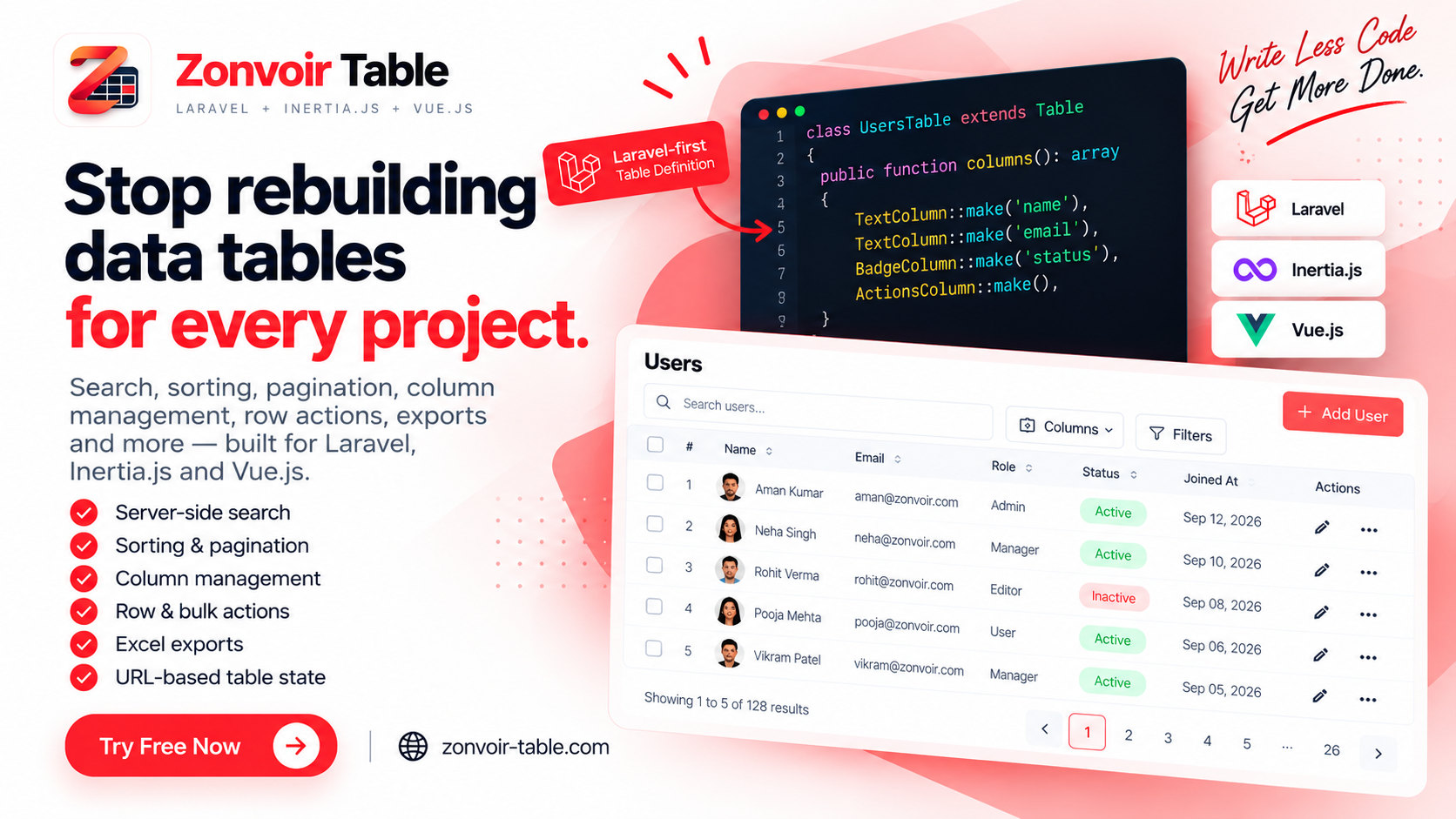
For applications using Laravel, Inertia.js, and Vue 3, Zonvoir Table provides a Laravel-first approach to defining and rendering data tables.
Instead of configuring every aspect of a table independently in a Vue page, developers can define the table structure in Laravel and use the Vue component to render it.
For example, a table definition can look like this:
class UsersTable extends Table
{
    protected string $resource = User::class;

    public function columns(): array
    {
        return [
            TextColumn::make('name'),
            TextColumn::make('email'),
            BadgeColumn::make('status'),
        ];
    }
}
This example illustrates how the table's resource and columns can be defined in a dedicated PHP class.
The exact configuration depends on the package version and the features required by your application.
The key idea is to keep the table definition organized instead of scattering its configuration across multiple files.
Why this structure helps
A dedicated table definition provides a clearer place to manage table-specific configuration.
When you add another table to the application, you can define its columns and data requirements without having to recreate the entire table infrastructure.
This can be useful in applications with many administrative pages, especially CRM, ERP, and SaaS platforms.
5. Let Vue Handle the Table Interface
Laravel can manage the table's server-side responsibilities, while Vue 3 handles how users interact with the data.
With Zonvoir Table, the Vue component can render the table using the data and configuration supplied by the Laravel side.
A simplified usage example is:
<ZonvoirTable :table="users" />
This represents the rendering step. The actual page setup and data preparation depend on the package's integration instructions.
The benefit of separating configuration from rendering is that developers can keep page components focused on the page itself rather than implementing every table feature repeatedly.
It also provides a clearer division of responsibilities:
Laravel: Data access, queries, and table configuration
Inertia.js: Communication between the server and frontend
Vue 3: Table rendering and user interaction
This structure fits applications that already use the Laravel, Inertia.js, and Vue 3 stack.
6. Think About Searching, Sorting, and Pagination Early
Searching, sorting, and pagination are often among the first features added to a data table.
They also influence how the table behaves as the application grows.
Searching
Users should be able to find relevant records without manually navigating through pages of data.
For example, a customer table might search by name or email, while an order table might search by order number.
Sorting
Sortable columns let users organize information according to their needs, such as sorting customers by name or orders by creation date.
The backend should handle sorting against approved columns rather than accepting arbitrary database column names from user input.
Pagination
Pagination limits the number of records returned at once. Server-side pagination is particularly useful when a table contains thousands of records.
The right page size depends on the data and the application's requirements.
Preserving table state
Another important consideration is what happens when a user refreshes the page or navigates between pages.
Keeping relevant search terms, sorting choices, and pagination state in the URL can make tables easier to use and share. The implementation should also account for multiple tables on the same page so their state doesn't conflict.
Planning these behaviors early can prevent duplicated logic and inconsistent interactions later.
7. Build Reusable Tables for Real Business Applications
Reusable table functionality becomes especially valuable when an application contains many data-heavy modules.
Consider a CRM with users, leads, contacts, companies, tasks, and activities.
Each module has different data, but many table requirements remain similar:
Display records consistently
Search and sort data
Navigate between pages
Configure columns
Perform actions on individual records
Select multiple records for bulk operations
Implementing all these behaviors independently can increase the amount of code developers need to maintain.
A reusable table toolkit gives the team a common foundation while leaving room for each module's specific requirements.
The goal isn't to remove customization. It's to avoid rewriting the same underlying functionality whenever a new table is needed.
8. When Should You Use a Table Package?
Building a table from scratch is not always the wrong decision.
For a simple page with a few records and no interactive requirements, a basic Vue component may be sufficient.
A dedicated table package becomes more useful when:
The application has multiple data-heavy pages.
Search, sorting, and pagination are recurring requirements.
Different modules need consistent table behavior.
The team wants to reduce repetitive implementation.
Table functionality needs to evolve across the application.
Before choosing a package, check that it supports your framework stack, fits your data-loading approach, and offers the customization your application requires.
It's also worth reviewing the installation process, documentation, and supported features before integrating it into a production project.
9. Try Zonvoir Table for Laravel, Inertia.js, and Vue 3
Zonvoir Table is a Laravel-first data table toolkit designed for applications built with Laravel, Inertia.js, and Vue 3.
It provides functionality for building data tables with features such as:
Server-side searching and sorting
Pagination
Configurable columns and column visibility
Row actions and bulk actions
URL-synced table state
Excel exports
The free version is available for developers who want to explore the toolkit and evaluate whether it fits their projects.
You can get started here:
Website: https://zonvoir-table.com/
Documentation: https://zonvoir-table.com/getting-started/introduction/
Installation guide: https://zonvoir-table.com/getting-started/installation/
Conclusion
Data tables are a small part of an application individually, but their combined requirements can create a considerable amount of repetitive development work.
With Laravel, Inertia.js, and Vue 3, developers can separate server-side data handling from frontend rendering and organize table configuration into reusable structures.
For simple pages, a custom component may be enough. For larger applications with multiple data-heavy modules, a dedicated table toolkit can provide a more consistent foundation.
If your team is building Laravel applications with Inertia.js and Vue 3, explore Zonvoir Table and see whether it can help simplify your next data table implementation.
Spend less time repeating table logic and more time building the features your users actually need.


