
October 27, 2026

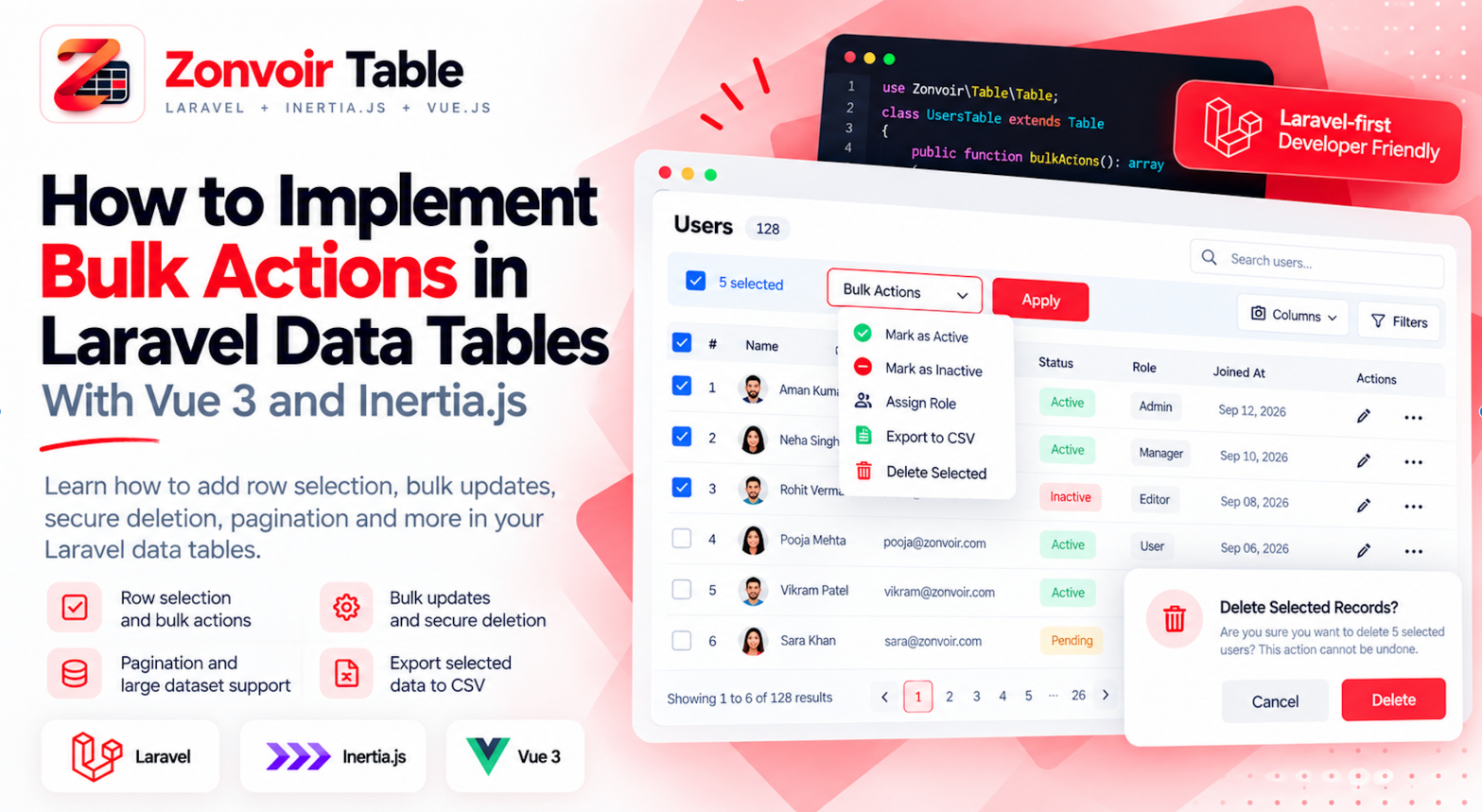
How to Implement Bulk Actions in Laravel Data Tables with Vue 3
Learn how to implement bulk actions in Laravel data tables using Vue 3 and Inertia.js. Explore row selection, bulk updates, secure deletion, pagination, authorization
Bulk actions are an important feature in modern web applications. Whether you're building a CRM, SaaS platform, inventory management system, or admin dashboard, users often need to perform the same operation on multiple records at once.
For example, an administrator might want to deactivate several users, update the status of multiple leads, archive old records, or export selected customers. Without bulk actions, users must repeat the same operation for every record individually.
In applications built with Laravel, Inertia.js, and Vue 3, implementing bulk actions requires more than adding checkboxes to a table. You also need to manage selection state, validate requests, authorize operations, handle large datasets, and provide clear feedback.
In this guide, we'll explore how to design and implement reusable bulk actions for Laravel data tables.
1. What Are Bulk Actions in a Data Table?
Bulk actions allow users to apply one operation to multiple selected records.
Common examples include:
Deleting multiple records.
Updating the status of several leads or orders.
Activating or deactivating user accounts.
Assigning multiple tasks to a team member.
Exporting selected records.
Archiving completed items.
Consider a CRM application containing hundreds of leads. If an administrator needs to mark 30 leads as qualified, performing the operation individually creates unnecessary work.
A table with row selection and a bulk action menu can simplify the process.
The objective is to reduce repetitive user interactions while ensuring every operation follows the application's business rules and security requirements.
2. Add Row Selection to a Vue 3 Data Table
The first step is allowing users to select records.
Each row can include a checkbox, while a header checkbox can select or deselect the records currently displayed on the page.
Here's a simplified Vue 3 example:
<script setup>
import { computed, ref } from 'vue'

const rows = ref([
    { id: 1, name: 'John Smith', status: 'active' },
    { id: 2, name: 'Sarah Wilson', status: 'inactive' },
    { id: 3, name: 'David Brown', status: 'active' },
])

const selectedIds = ref([])

const allSelected = computed(() => {
    return rows.value.length > 0 &&
        rows.value.every(row =>
            selectedIds.value.includes(row.id)
        )
})

function toggleAll() {
    selectedIds.value = allSelected.value
        ? []
        : rows.value.map(row => row.id)
}
</script>

<template>
    <table>
        <thead>
            <tr>
                <th>
                    <input
                        type="checkbox"
                        :checked="allSelected"
                        @change="toggleAll"
                    >
                </th>
                <th>Name</th>
                <th>Status</th>
            </tr>
        </thead>

        <tbody>
            <tr v-for="row in rows" :key="row.id">
                <td>
                    <input
                        v-model="selectedIds"
                        type="checkbox"
                        :value="row.id"
                    >
                </td>
                <td>{{ row.name }}</td>
                <td>{{ row.status }}</td>
            </tr>
        </tbody>
    </table>

    <p>{{ selectedIds.length }} records selected</p>
</template>
This example demonstrates the basic selection mechanism. A production implementation should also account for pagination, filtering, sorting, and the behavior of selections when the displayed rows change.
3. Create a Bulk Action Interface
Once users can select records, provide actions that are relevant to those selections.
For example, an admin table might offer:
Change status
Assign to user
Export selected
Delete selected
A simple interface could look like this:
<div v-if="selectedIds.length > 0">
    <span>
        {{ selectedIds.length }} selected
    </span>

    <button @click="updateStatus">
        Mark as Active
    </button>

    <button @click="confirmDelete">
        Delete Selected
    </button>
</div>
In a real application, actions should be enabled only when the selected records and the current user's permissions allow them.
Destructive operations, such as deleting records, should generally require confirmation. The interface should also clearly communicate which records will be affected.
4. Send Selected IDs to Laravel
The frontend is responsible for collecting the selected IDs and submitting the user's request. Laravel should remain responsible for validating and executing the operation.
For example, an Inertia.js application can submit a bulk update using a form or router request. The following controller illustrates the server-side approach:
use Illuminate\Http\Request;
use App\Models\Lead;
use Illuminate\Validation\Rule;

public function bulkUpdateStatus(Request $request)
{
    $validated = $request->validate([
        'ids' => ['required', 'array', 'min:1'],
        'ids.*' => [
            'required',
            'integer',
            'distinct',
            'exists:leads,id',
        ],
        'status' => [
            'required',
            Rule::in(['new', 'qualified', 'closed']),
        ],
    ]);

    $leads = Lead::query()
        ->whereIn('id', $validated['ids'])
        ->get();

    foreach ($leads as $lead) {
        $this->authorize('update', $lead);

        $lead->update([
            'status' => $validated['status'],
        ]);
    }

    return back()->with(
        'success',
        'Selected leads have been updated.'
    );
}
This is an illustrative example. Adapt the status values, model, policy, and request handling to your application.
For production use, consider wrapping multi-record updates in a database transaction. Also ensure that the number of selected IDs is limited appropriately and that authorization is checked for every affected record.
Never assume that IDs submitted by the browser are trustworthy.
5. Handle Bulk Deletion Safely
Bulk deletion needs additional care because it can permanently remove data or disrupt related workflows.
A secure implementation should:
Validate that the request contains a non-empty array of unique record IDs.
Confirm the current user has permission to delete each selected record.
Apply relevant business rules, such as preventing deletion of protected records.
Use a transaction when the operation requires multiple related database changes to succeed together.
Return a clear success or error message.
For example, Laravel's whereIn() method can identify the requested records:
$leads = Lead::query()
    ->whereIn('id', $validated['ids'])
    ->get();
After authorization and business-rule checks, the application can delete the eligible records.
Avoid blindly executing a bulk delete against every ID supplied by the client. The backend must enforce the same permissions and restrictions that the user interface displays.
For larger operations, soft deletes or queued jobs may be more appropriate than immediate permanent deletion.
6. Decide How Selection Should Work With Pagination
Pagination introduces an important design question: what happens when users select records and move to another page?
There are two common approaches.
Select records on the current page
Only records currently displayed in the table are selected. Moving to another page may clear the selection, depending on the interface design.
This approach is straightforward and works well for many admin panels.
Maintain selection across pages
Selected IDs are retained as users navigate through the table. This lets users select records from several pages before performing an action.
For this approach, selection state should be maintained independently of the currently displayed rows.
You should also distinguish between selecting every visible record and selecting every record matching a search or filter. These are different operations and should be communicated clearly to users.
For very large datasets, an explicit “select all matching records” workflow may be preferable to sending thousands of individual IDs from the browser.
7. Keep Bulk Actions Reusable Across Your Application
Many applications contain multiple data-heavy modules.
A CRM may have separate tables for leads, contacts, companies, tasks, and activities. An inventory system may have tables for products, suppliers, and orders.
Each table has different data and business rules, but common behaviors often remain the same:
Row selection.
Selection counts.
Bulk action menus.
Confirmation dialogs.
Loading states.
Success and error notifications.
Permission-aware action visibility.
Implementing these behaviors independently for every table can lead to duplicated code and inconsistent user experiences.
A reusable table component or table toolkit can centralize common interactions while allowing individual pages to define their own actions and business rules.
The goal is not to force every table to behave identically. It is to reuse the shared interface and interaction patterns without compromising the specific requirements of each module.
8. Improve Performance and User Feedback
Bulk operations can affect many records, so their performance and feedback deserve attention.
Consider the following practices:
Use appropriate database operations. When an operation is identical for every selected record, a set-based update may be more efficient than updating each record individually. However, model events, observers, and per-record authorization requirements may influence the correct implementation.
Use queues for expensive operations. Large exports, lengthy processing tasks, and operations involving external services may be better handled by background jobs.
Show loading states. Disable duplicate submissions while an operation is processing and let users know that work is underway.
Report the outcome clearly. Tell users whether the operation succeeded, failed, or partially completed. For partial failures, provide enough information to identify the affected records.
Consider concurrency. A record may change after the user selects it. The backend should recheck relevant conditions before applying the requested operation.
These details help make bulk actions reliable, particularly in business applications where users frequently work with large datasets.
9. Building Laravel Data Tables With Zonvoir Table
If you're developing applications with Laravel, Inertia.js, and Vue 3, Zonvoir Table provides a Laravel-first approach to building reusable data tables.
Instead of recreating common table functionality in every application module, developers can use a shared table foundation and focus on the data, configuration, and business operations specific to each page.
Zonvoir Table supports features including server-side searching and sorting, pagination, configurable columns, row actions, bulk actions, URL-synced table state, and Excel exports.
For implementation details, check the current documentation before integrating the package into your project.
Website: https://zonvoir-table.com/
Introduction: https://zonvoir-table.com/getting-started/introduction/
Installation: https://zonvoir-table.com/getting-started/installation/
Github: https://github.com/Zonvoir-technologies/laravel-inertia-table
The right approach depends on your application's needs, but reusable table functionality can help reduce repetitive work across CRM, SaaS, and admin dashboard projects.
Conclusion
Bulk actions make data tables more efficient by allowing users to manage multiple records in a single workflow.
A good implementation combines intuitive row selection, clear action controls, secure Laravel validation, authorization, and appropriate handling of pagination and large datasets.
For growing applications, reusable table functionality can also reduce duplicated code and keep interactions consistent across different modules.
If you're building a Laravel application with Inertia.js and Vue 3, explore Zonvoir Table to see whether its reusable data table features fit your development workflow.
Spend less time rebuilding common table functionality and more time delivering the features that make your application valuable.


